
Starter
$19
/ month
Starter fits a single selling location when someone on the team can run sync by hand.
Limits
- ✓ 1,000 products
- ✓ 500 customers
- ✓ 1 location pair
- ✓ Manual sync
Shopify Square integration
The floor team keeps Square. The website stays on Shopify. The catalog, the count at each store, and the customer list stay in step.
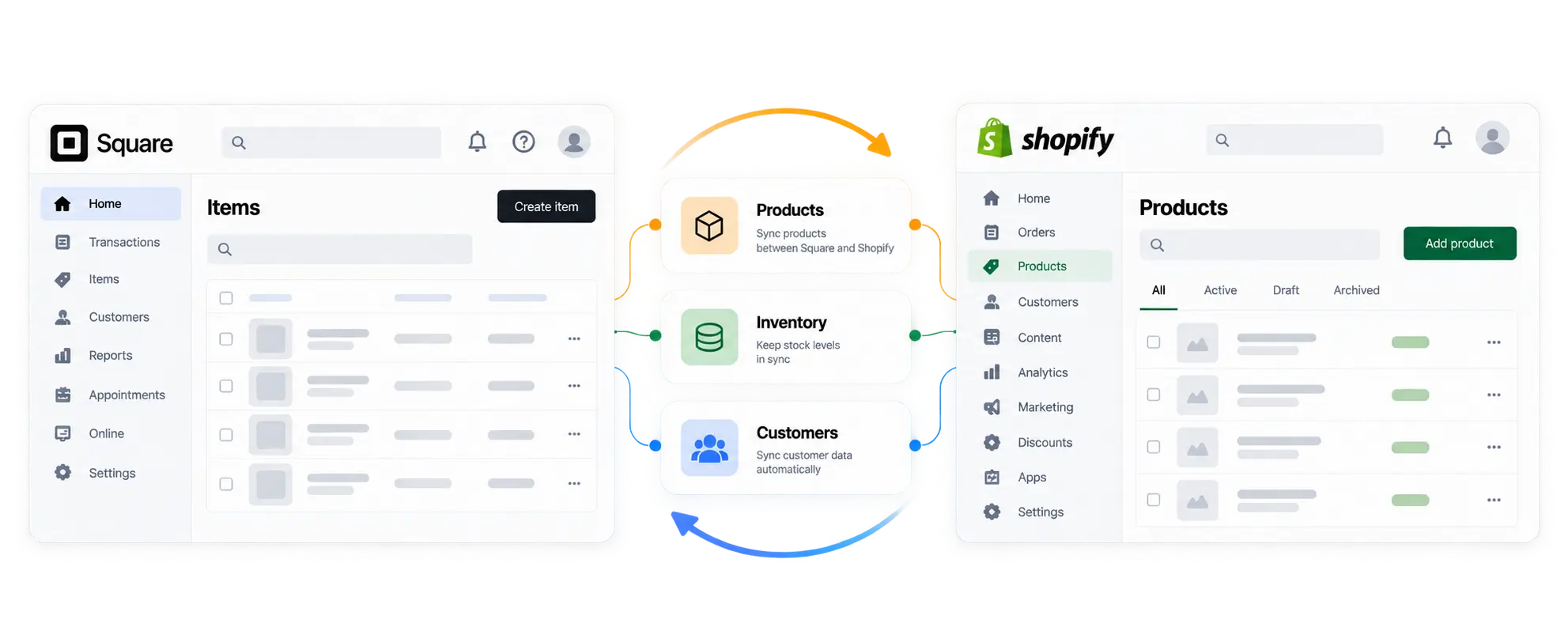
Send products from Shopify to Square, or from Square to Shopify, including only the ones you select. You choose the direction. You do not have to move the whole catalog.
The fields that move are title, description, price, and image. Each variant’s SKU and price come along with the product.
Items link by a shared SKU, or by title when the SKU is missing. Clean obvious duplicates before the first sync so two similar names do not attach to the wrong item.
Update products that are already linked, or create new ones on the other side. You do not start from an empty catalog if the item is already there.
Inventory sync uses location pairs. Map a Shopify location to the Square location that holds the same stock, so each store shows the count for that place.
SquareFloww copies the on-hand count from your primary store to the paired location. The other store shows the same number.
Sync the stock you select. A busy Saturday does not force a full-catalog recount if only a few items changed.
A product import or export can copy stock for those items too. You do not need a separate stock run for the products you just moved.
Sync customers from Shopify to Square, from Square to Shopify, or both. Name, email, and phone come with the profile.
A buyer at the register and a buyer online can share one profile. The name, email, and phone you already synced stay on that same person.
On Starter you run customer sync yourself. That fits a single location when someone on the team can start the sync after close.
On Growth and Pro you can turn on automatic customer updates. New buyers show up on the other system without a manual run.
For retailers who already sell in both places and want the catalog, stock, and customers to stay in step.
The floor team stays on Square POS. Shopify stays the store customers use online.
Pair each Shopify location with the Square location that holds the same stock.
CSV is fine once in a while. It fails when the wrong file goes out and Monday starts with a recount.
Run sync yourself on Starter. Turn on automatic sync with Growth or Pro when volume picks up.
Setup is a sequence, not a migration. You are connecting systems you already use.
Install SquareFloww from the Shopify App Store and approve access. The install path is the SquareFloww listing.
Authorize the Square account that runs your POS. You stay logged into Square. Nothing here closes your locations or swaps your card reader.
Pair each Shopify location with its Square counterpart. One store maps one pair. Several stores map several pairs, up to your plan limit.
Match products by SKU or title. Then choose Shopify or Square as the store your team edits.
Starter runs sync when you start it. Growth and Pro run automatic sync, and the activity log shows what each run did.
The activity log shows what each sync did. The step-by-step version is How to connect Square to Shopify.
Choose Shopify or Square as the store your team edits. Product changes start there, then copy to the other system.
Product and stock updates copy from that store to the other one. You stop retyping the same catalog after every busy day.
On Growth and Pro, automatic product updates copy from the store you edit to the other one. Starter stays manual until you are ready.
Plans start at $19 a month. Every plan includes a 7-day free trial.
Starter fits a single selling location when someone on the team can run sync by hand.
Growth is the practical pick when you want automatic sync and up to three location pairs.
Pro is for catalogs up to 10,000 products and customers, with unlimited location pairs.
Try any plan for 7 days on the Shopify App Store. Cancel anytime in Shopify billing.
A spreadsheet, a few Zaps, or a new register can each move something. None of them keeps Square and Shopify updated together.
A checked file is fine once a month. It misses the price that changed at the register after you exported.
One Zap can send a new product across. Stock for each store, and the customer list, turns into several Zaps someone has to watch.
Shopify POS is the right move if you want one system. It means new hardware and a team that has to relearn the register.
Square stays on the floor. This app syncs products, location inventory, and customers. It does not take payments.
Still have a question?Choose the store you edit, map your locations, and run the first sync on a 7‑day trial.
We reply within one business day.
Someone on the RippleStep team will follow up shortly. No need to resubmit.
Email supportTell us about your stack. We will follow up with a focused walkthrough of RippleStep.