Skip to content
WordPress Airtable Integration

Sync WordPress and Airtable
Both ways

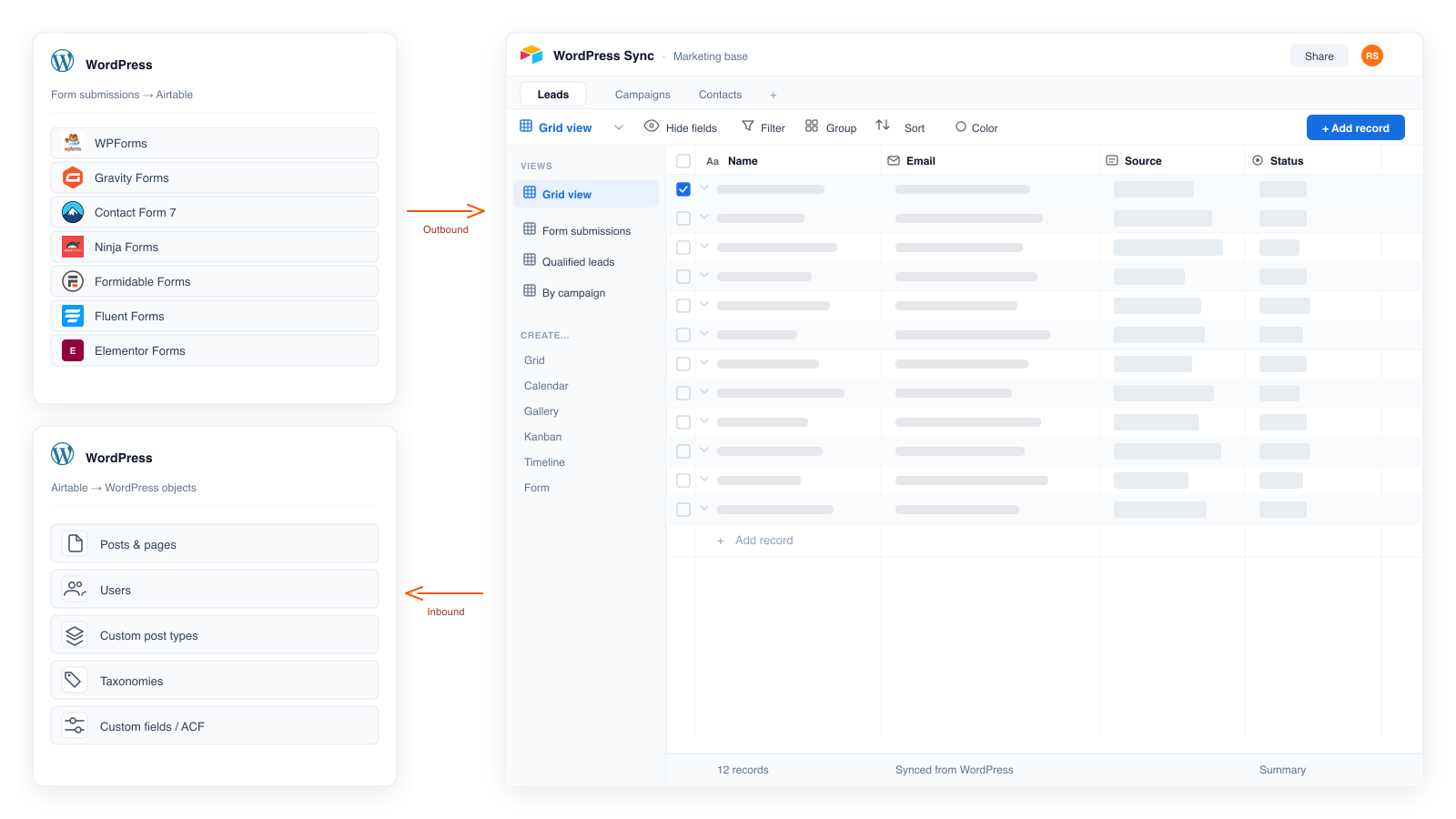
Send form submissions into Airtable. Import Airtable records as posts, pages, users, and taxonomies. Field mapping, scheduled sync, views, and sync logs — all inside WordPress.

WordPress forms syncing to Airtable and Airtable records importing into WordPress

Works with your form builders

  • WPForms
  • Gravity Forms
  • Contact Form 7
  • Ninja Forms
  • Fluent Forms
  • Formidable
  • Elementor
The friction

Stop moving WordPress and Airtable data by hand

Forms don’t land in Airtable. Posts don’t match the base. Teams fill the gap with CSVs, Zapier bills, and scripts only one person can fix.

Today
  • Export form CSVs, then re-import into Airtable
  • Pay Zapier or Make for a sync that belongs in WordPress
  • Paste Airtable rows into posts — fields drift
  • Maintain custom API scripts when something breaks
  • Miss failures until data is already wrong
With Integration for Airtable
  • Form submissions create Airtable records on submit
  • Import records as posts, pages, users, and terms
  • Map fields once — text, dates, selects, and more
  • Schedule imports with views, filters, and sync logs
  • Runs in WordPress — no middleware, no per-task fees
Two directions

One plugin. Data moves both ways.

Use WordPress to collect. Use Airtable to organize. Publish back when you need the site to stay current.

Outbound

WordPress → Airtable

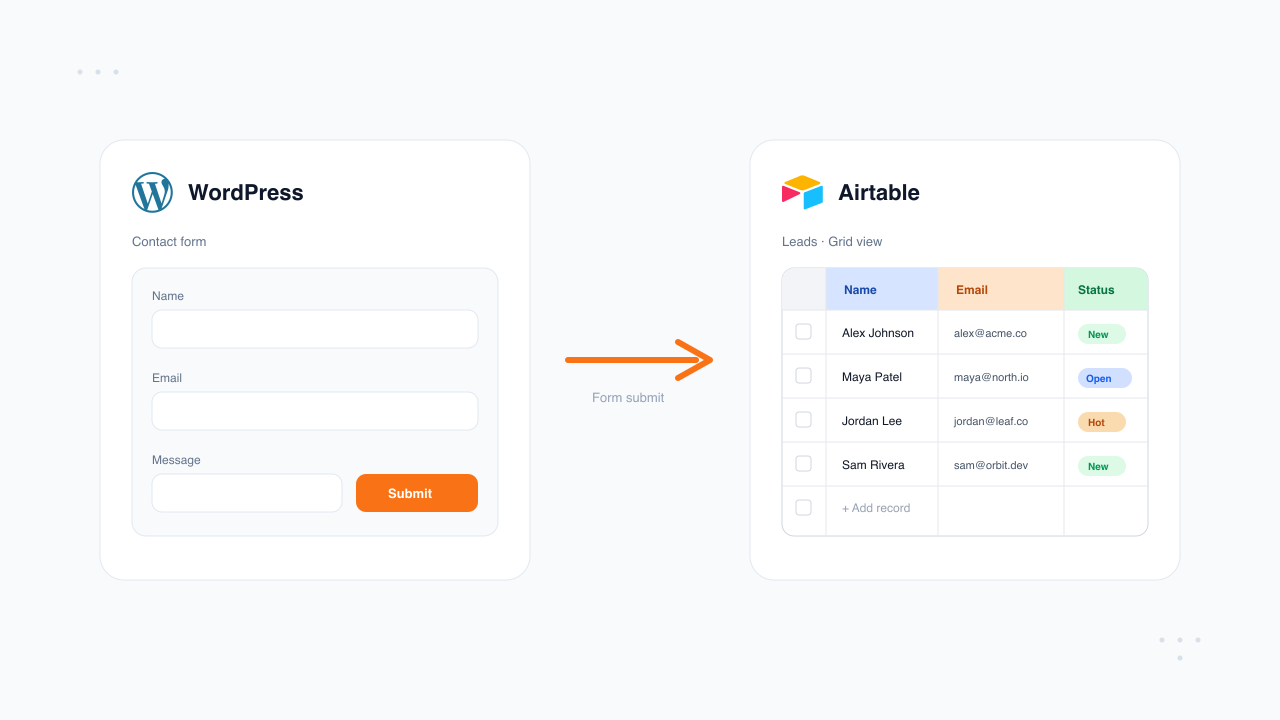
WordPress form submissions syncing into an Airtable table

Every submission from your form builders becomes an Airtable record. Map fields, pick the base and table, and stop pasting rows by hand.

  • WPForms, Gravity Forms, CF7, Ninja, Fluent, Formidable, Elementor
  • Visual field mapping to Airtable columns
  • File & attachment uploads on Pro
Inbound

Airtable → WordPress

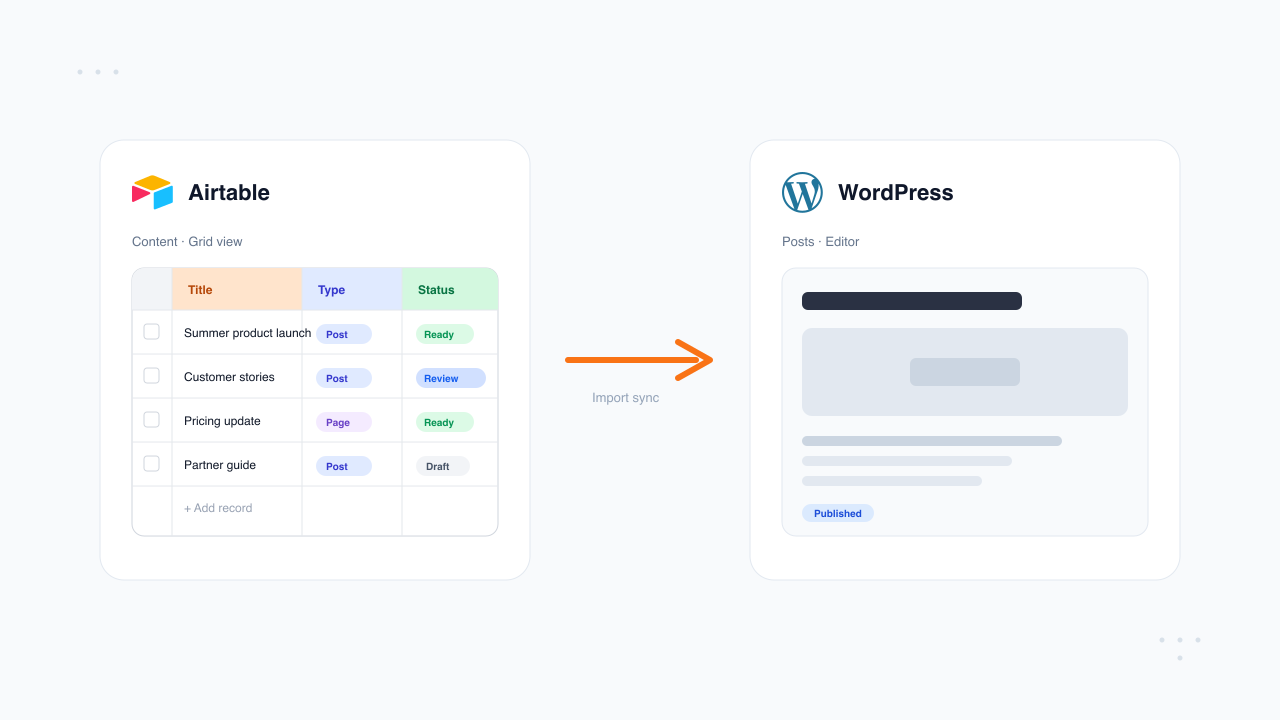
Airtable records importing into WordPress content

Treat Airtable as the source of truth for content and people. Import records on a schedule — or on demand — as real WordPress objects.

  • Posts, pages, users, categories, and tags
  • Airtable views and filters control what syncs
  • Pro: custom post types, taxonomies, and custom fields
Simple setup

Live in under five minutes

Connect Airtable, map your fields, and start syncing. No Zapier. No custom API work.

  1. Connect to Airtable with a secure OAuth button from WordPress
    01

    Connect Airtable

    Install the plugin and click Connect to Airtable for secure OAuth. Pick your base and table — no token paste required.

  2. Map WordPress fields to Airtable columns
    02

    Map fields

    Match form fields or Airtable columns to WordPress with dropdowns. Add a view or filter when you need a subset.

  3. Turn sync on and review sync logs
    03

    Turn sync on

    Forms sync on submit. Imports run on your schedule, with logs you can review.

Features

Everything you need to keep WordPress and Airtable in sync

Map once, sync on a schedule, and see every run in your dashboard — without Zapier, Make, or per-task fees.

  • Visual field mapping

    Connect each form field or Airtable column to the right WordPress field. Remap or change the destination table anytime — no form rebuild required.

  • Scheduled imports

    Pull Airtable into WordPress on a schedule. Directories, listings, and user lists stay current without CSV exports or manual updates.

  • Views & filters

    Sync from a specific Airtable view. Only published rows, approved leads, or active members land on the site — not the whole base.

  • Sync logs

    Every run is logged in WordPress: what synced, what failed, and when. Diagnose issues here instead of digging through a Zap history.

  • Posts, pages & users

    Turn Airtable records into WordPress posts, pages, users, categories, and tags — so the site mirrors the base your team already maintains.

  • CPTs & custom fields Pro

    Map Airtable into custom post types, taxonomies, and custom fields — built for directories, listings, members, and other structured content.

Who it’s for

Built for teams who own the WordPress ↔ Airtable loop.

If you collect on the site, manage in Airtable, and need WordPress to stay current — this plugin is for you. Not for people who want another automation canvas.

Talk through your workflow
  • Operations

    Keep directories, leads, and member lists aligned without CSV nights or “did it sync?” threads.

  • Content & marketing

    Publish from an Airtable source of truth — posts, pages, and taxonomies that match the base your team already edits.

  • Agencies

    Standardize form-to-Airtable and content imports across client sites — one plugin, no Zap per install.

  • Nonprofits & communities

    Event sign-ups, volunteers, and members stay organized in Airtable while WordPress stays the public face.

Use cases

Where teams put WordPress ↔ Airtable to work

Collect on the site. Manage in Airtable. Publish back when WordPress needs to show it.

  • Lead capture & CRM-lite

    Contact forms, demo requests, and newsletter signups land as Airtable records. Segment, assign, and follow up without a spreadsheet shuffle.

  • Directories & listings

    Keep the master list in Airtable. Import approved rows as posts or custom post types so the public site stays in sync with your base.

  • Memberships & users

    Import members or staff from Airtable as WordPress users. Pair with form intakes so applications and profiles share one pipeline.

  • Job applications

    Résumés and application forms flow into an Airtable hiring base. Pro syncs attachments so documents live with each candidate row.

  • Agencies & client sites

    Standardize form-to-Airtable and content imports across client installs — one plugin, no separate Zap per site.

  • Nonprofits & communities

    Event sign-ups, volunteer forms, and member lists stay organized in Airtable while WordPress remains the public face.

What people say

Teams who replaced manual sync and Zapier

★★★★★

We collect 200+ lead form submissions a week and they all land in Airtable automatically now. I deleted our Zapier account the same day I installed this plugin.

Marcus R. Marketing agency owner
★★★★★

Exactly what I needed — no code, no complexity. Set it up in ten minutes on a client site and it’s been running flawlessly for six months.

Sophie L. Freelance developer
★★★★★

The submission log is underrated. Being able to see every sync attempt with timestamps gave my team peace of mind we never had with Zapier.

Phil T. SaaS marketing lead
Security & data

Runs on your WordPress.
Talks only to Airtable.

No middleware account. No per-task pipeline between your site and your base. Credentials and sync history stay in WordPress.

  • Tokens stay on your site

    Airtable Personal Access Tokens are stored in WordPress — not handed to a third-party automation platform.

  • Direct connection

    Data moves between your WordPress install and Airtable. No Zapier, Make, or extra sync service in the middle.

  • Only what you map

    You choose the base, table, view, and fields. The plugin syncs what you configure — not your whole workspace by default.

  • Visible sync history

    Logs in your dashboard show what ran, what failed, and when — without digging through a third-party task history.

Pricing

Simple pricing for both directions

Start free. Upgrade when you need unlimited volume, custom types, media, and faster sync.

Free
Free forever
$0
/ month
One form, core imports, and 300 records a month.

Forms to Airtable

  • ✓ 1 form connected to Airtable
  • ✓ 300 form submissions synced per month
  • ✓ Standard fields only

Airtable to WordPress

  • ✓ Import posts, pages, users, categories, and tags
  • ✓ 1 import connection each for posts, users, and taxonomies
  • ✓ 300 records imported per month
  • ✓ Manual, daily, or weekly import schedule
  • ✓ Filter by Airtable view or formula
  • ✓ Sync history and email support
Install Free — No Card Needed
FAQ

Common questions about WordPress and Airtable

Two-way sync, setup, pricing, and how this compares to Zapier or Make.

Still have a question?
What does the WordPress Airtable integration plugin do?
Integration for Airtable is a two-way WordPress ↔ Airtable plugin. It sends form submissions from WPForms, Gravity Forms, Contact Form 7, Ninja Forms, Fluent Forms, Formidable Forms, and Elementor Forms into Airtable — and imports Airtable records as WordPress posts, pages, users, categories, and tags. Pro adds custom post types, taxonomies, and custom fields.
Can I sync WordPress forms to Airtable without Zapier?
Yes. The plugin connects WordPress to Airtable directly from your site. No Zapier, Make, or other middleware is required — no per-task fees and no third-party automation account to maintain.
Can I import Airtable records into WordPress?
Yes. Import Airtable records as posts, pages, users, categories, and tags. Pro unlocks custom post types, taxonomies, and custom field mapping so Airtable can power structured WordPress content.
Does the plugin support scheduled sync and Airtable views?
Yes. Map fields once, choose an Airtable view or filter to control which records sync, and run imports on a schedule. Sync logs show what ran, what succeeded, and what needs attention.
Which WordPress form plugins work with Airtable?
WPForms, Gravity Forms, Contact Form 7, Ninja Forms, Fluent Forms, Formidable Forms, and Elementor Forms. Map each form field to an Airtable column — submissions create records automatically.
Is there a free WordPress Airtable plugin?
Yes. Integration for Airtable has a Free Forever plan: 1 form connection, 300 form submissions/month, and Airtable → WordPress imports for posts, pages, users, and taxonomies (300 records/month, scheduled sync, views/filters, sync history). No credit card required. Pro ($99/year) adds unlimited forms and imports, advanced fields and file uploads, CPTs and taxonomies, ACF, media, 15-minute sync, delete-on-remove, and priority support.
How long does setup take?
Most users click Connect to Airtable for secure OAuth, pick a base and table, map fields, and go live in under five minutes. No developer or API coding required.
How does this compare to Zapier or Make?
Zapier and Make charge for every task and sit between WordPress and Airtable. This plugin runs inside WordPress: one plugin cost, no per-task fees, field mapping and sync logs in your dashboard, and data moves directly between your site and Airtable.

Ready to connect

Put WordPress and Airtable on the same page

  • Free plan available
  • Two-way sync
  • No credit card required